This post may contain affiliate links. Please read full disclosure f__or more info..
Thinkific has just launched a new feature on their online course platform - Site Builder. It allows you to create beautiful websites that matches perfectly with your online courses. Here’s my take on the Thinkific Site Builder.
It allows you to create complete online course websites and sell your courses under one platform.
You can create course pages, homepage, and product pages as well as additional pages containing any content that you want or need. No coding necessary!
Who is Site Builder Best For?
I recommend site builder for those who do not have a website already. Maybe you have an idea of a course and need both an online course host and a couple of extra pages to sell your courses.
Best suited for:
- New Online Course Creators without a website
- Course Creators who want extra pages on their course site, for example FAQ, Resources
- Any business that needs a great online course site that can be created without coding
Site Builder Features
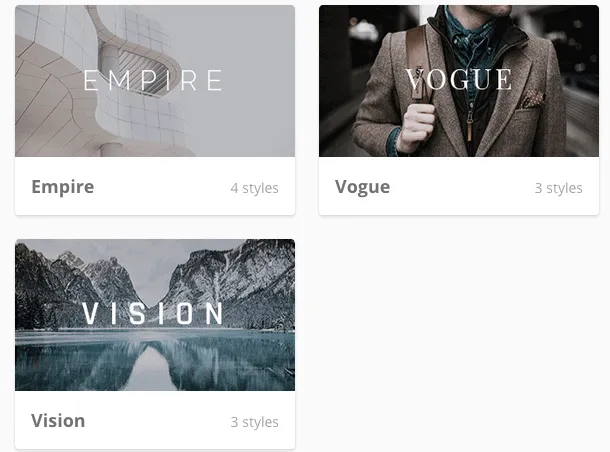
First of all you need to choose a theme for your site. Thinkific currently offers three options: Empire, Vogue and Vision.
In addition to selecting a theme, you can also select color schemes for your site.
CLICK HERE TO START CREATING YOUR OWN ONLINE COURSE SITE
Design Focus
All themes have been carefully designed specifically for online educators and course creators. You can edit colors, fonts and other features to ensure your course site matches the overall branding for your business.
Ease of Use
Ease of use is the great thing about the Site Builder - no coding necessary!
Anybody can create a high quality site with Thinkific’s Site Builder. The drag and drop interface is simple and intuitive to use.
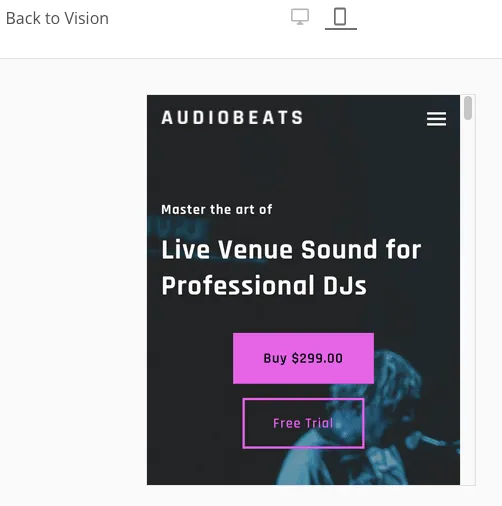
Mobile - no problem
Mobile optimized pages are a must these days! If your site is not mobile optimized, you are leaving money on the table.
You do not need to worry about mobile traffic with Site Builder as it is completely optimized for all devices: desktop, laptop, and mobile.
All themes comes with pages that are optimized for all devices.
Pricing
If you don’t already have a Thinkific account, click here to create one for free!
You can start using Thinkific for free and upgrade as you go. I highly recommend choosing at least the Essential Plan so you can have affiliates, bundles, upsells, coupons and promotions.
Nothing beats having affiliates doing the marketing work for you!
Final Thoughts
Thinkific’s Site Builder is an awesome add-on to your online course platform. They already had a great education specific website and it is even better now with Site Builder.
I highly recommend Site Builder and Thinkific for those who want to create an online course and need additional pages with their courses / website.
Being able to create pages with drag-and-drop is a game changer as you do not need to hire a coder to do simple pages for you.



Further reading on Online Courses
Sell Online Courses – Marketplace & Platform Review
3 Platforms To Sell Online Courses from Your Own Website